About Minecraft Alpha 1.2.6 Game
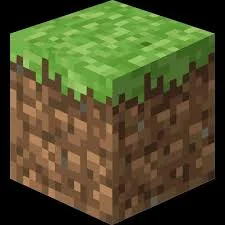
Minecraft Alpha 1.2.6 opens a version of a block-building sandbox in the browser. Explore a world made from individual blocks, gather materials and use them to shape a shelter or a larger construction. The version number matters: older builds have their own menus, blocks and limitations, so do not expect every feature of a current desktop release.
A useful first session is about learning the world and its controls. Choose an available single-player mode, check the inventory and try placing a few blocks before beginning an ambitious project. Keep an eye on the game’s save options if you want to return to the same world; reloading a browser page is not a substitute for saving.
How to Play Minecraft Alpha 1.2.6 Game
Explore, gather and build using the tools available in this particular version.
- Choose an available world or create a single-player world from the menu.
- Use the controls menu to check movement, inventory and interaction bindings.
- Gather basic materials and test how breaking and placing blocks works.
- Build a small project, then use the game’s save or quit menu before leaving.
Controls
| Input | Action |
|---|---|
| WASD | Move around the world. |
| Mouse | Look around and interact with blocks after the game captures the pointer. |
| Space | Jump. |
| E / inventory binding | Open the inventory; verify the binding in this version’s controls menu. |
| Esc | Open the game menu and release the pointer. |
Click or tap inside the game before using the keyboard. The fullscreen button below the player gives you more room; the restart button reloads the game.
Tips for a better round
- Start with a small shelter or marked base so you can find your way back after exploring.
- Version-specific features and server compatibility vary. Read the world and mode choices in this build before planning a multiplayer session.