About Teddy Goes Swimming Game
Teddy takes a minute to get in the water. Once the dive starts, the oxygen gauge is a better guide than the empty space ahead. It can be easy to forget about the gauge while you're trying to steer past something in the water.
I try to keep my changes in direction small. Start a little early when something is in your way so you don't have to shove Teddy all the way across the screen at the last moment. You can pause if you need a closer look.
How to Play Teddy Goes Swimming Game
Keep Teddy going underwater while watching the oxygen gauge and the obstacles around him.
- Press Space or click Play on the title screen and let the opening scene run.
- Use the arrows to guide Teddy through the water. Check the oxygen meter when there's a quiet stretch.
Controls
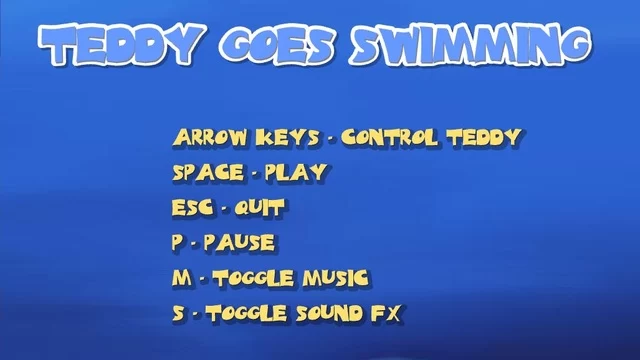
| Input | Action |
|---|---|
| Arrow keys | Control Teddy. |
| Space | Start at the title screen. |
| P | Pause. |
| M and S | Toggle music and sound effects, respectively. |
| Esc | Quit the round. |
Click or tap inside the game before using the keyboard. The fullscreen button below the player gives you more room; the restart button reloads the game.
Tips for a better round
- Stay a little away from the sides when you have room, so you have somewhere to turn if the next obstacle comes into view.
Questions About Teddy Goes Swimming Game
Can I mute the music and still hear the effects?
Yes. M and S control them separately.