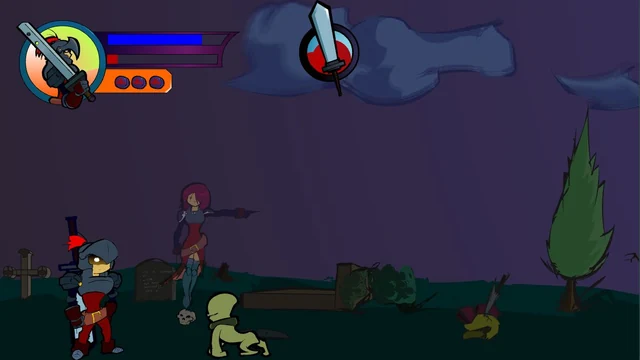
About Crazy Knight Game
The knight and enemies are drawn in a loose style; the menu art includes mutants and the Grim Reaper. Its Attack page has one detail easy to miss: an attack can behave differently with another weapon equipped or when the hero is in a different state. If your attack changes, check those two things first.
How to Play Crazy Knight Game
Start from the title menu after glancing through Controls. Use Left and Right to move and A to attack. The menu instructions also show separate pages for items and special actions; read those before relying on an icon whose effect you do not know. In a busy encounter, make one movement adjustment, then see where the knight is before attacking again.
Controls
| Input | Action |
|---|---|
| Left arrow | Move left. |
| Right arrow | Move right. |
| A | Attack. |
Click or tap inside the game before using the keyboard. The fullscreen button below the player gives you more room; the restart button reloads the game.
Tips for a better round
- The knight has a safety behavior noted on the Movement page, but that does not choose your next move. Check your spacing before pressing A. If an action appears to respond differently, look at the equipped weapon and the hero’s current state, as the Attack page advises.
Questions About Crazy Knight Game
How do I move?
Press the left or right arrow.
What is the attack key?
A.
Where are item controls explained?
Open Controls from the menu and choose Items or Special.
Why can the attack vary?
The instructions say its response can depend on the weapon or the hero’s state.