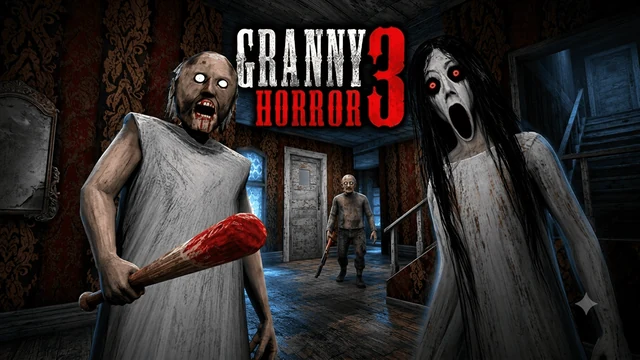
About Granny Horror 3
There is a locked gate in front of you and a house full of things you have not worked out yet. Granny Horror 3 gives you five days to put the pieces together and escape. That is enough time to make a few discoveries, but getting caught sends you back with one fewer chance to spare.
Noise is the problem you keep coming back to. Dropping an object can bring Granny to investigate, so picking something up is also a decision about where you might have to put it down. Grandpa does not hear as well, though crossing his path is still a very bad idea. Slendrina needs a different response: turn away when she appears rather than keeping her in view.
You are looking for useful objects and the places where they belong. A locked passage is worth remembering even if you cannot open it on that visit. Beds and wardrobes offer hiding places along the way. They are useful when trouble is nearby, provided you have left yourself a route to reach one.
The settings let you decide how much pressure you want. Easy, Normal, Hard, Extreme and Practice are available, with separate Granny and Grandpa options and switches for Slendrina, Limping and Nightmare. Practice is a sensible first stop if you would rather learn the rooms before worrying about a chase. You can also adjust the graphics, music and volume before starting.
How to play Granny Horror 3
Find the objects and solve the obstacles that stand between you and an escape. You have five days, so keep what you learn from each attempt.
- Press Play, choose a difficulty and review the character settings. Read the tips on that screen, then select OK to enter the house.
- Look around the starting area before moving on. Test the nearby doors and check for objects you can pick up. The interaction prompt tells you when something is within reach.
- Remember which doors, locks and other obstacles you have found. When you collect an item, think back to where it might be useful instead of carrying it around without a destination.
- Listen while you explore. If you make a noise, leave that spot and give yourself somewhere to hide. Look away promptly if Slendrina appears.
- Keep searching and opening routes until you can complete an escape. If a day is lost, use the next attempt to follow up on something you already discovered.
Controls
| Input | Action |
|---|---|
| W / A / S / D or arrow keys | Move |
| Mouse | Look around |
| E / left mouse button | Interact when an object or door is within reach |
| G | Drop the item you are holding |
| C / left Ctrl | Crouch |
| F, held while looking at a bear trap | Free yourself from the trap |
Click or tap inside the game before using the keyboard. The fullscreen button below the player gives you more room; the restart button reloads the game.
Tips for a better round
- An item you cannot use yet is still useful information. Remember where you left it so you can return when you find its matching obstacle.
- Check hiding places before you need them. A wardrobe is much less help if you only notice it after an enemy has blocked the doorway.
- Do not stare at Slendrina to see what happens. Turn your view away, then check where you are going before taking another step.
- Use Practice to make a mental map of the house. You can then choose a harder setting with fewer surprises about which corridor leads where.
Questions about Granny Horror 3
How long do I have to escape?
The game gives you five days. Getting caught uses up a chance, which makes learning the house and keeping track of discoveries important.
Can I choose which enemies appear?
The settings offer Both, Granny or Grandpa, plus a separate Slendrina switch. The chosen difficulty and additional modifiers change the challenge.
What should I do if a bear trap catches me?
Look down at the trap and hold F to free yourself. The game includes this instruction on its settings screen.
What if the game feels slow?
Try a lower graphic-quality setting from the menu. You can also turn off music separately from the other audio controls.