About Color My Fate Game
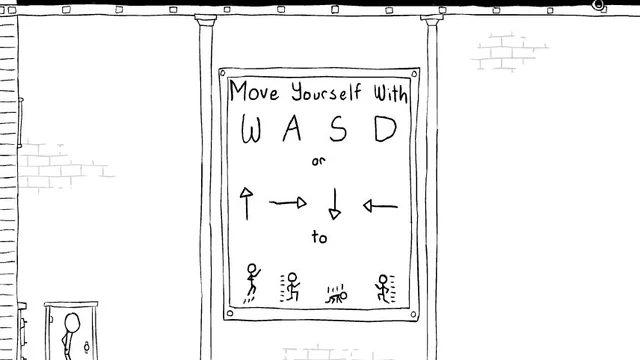
It says Colour My Fate on the original title screen. Start the game and you’ll see a comic in black and white. The little triangle in the corner turns the page. A movement sign greets you once you reach the first room, with sketches underneath to show what the character does.
I like how the drawings leave room around the things you might want to inspect. There’s time to look at what’s hanging over a path or what’s been drawn on a wall. Some things respond to the mouse, so you can stop and try an object that looks out of place.
How to Play Color My Fate Game
Explore the winter rooms, follow the story and find the way through.
- Choose Play and click the triangle at the lower right of each comic page.
- Read the movement sign in the first room. Move with WASD or the arrow keys. Try Up or W to jump.
- Click objects that look like they might react. When you find a way to reach a ledge or open the route, keep going through the room.
Controls
| Input | Action |
|---|---|
| WASD or arrow keys | Move through the rooms. |
| Mouse | Interact with objects that respond to the pointer and turn the comic pages. |
Click or tap inside the game before using the keyboard. The fullscreen button below the player gives you more room; the restart button reloads the game.
Tips for a better round
- A quiet room gives you a chance to read the sign or look at an object before you move on.
Questions About Color My Fate Game
Is this the game called Colour My Fate?
Yes. That’s the spelling on the original title screen.
How do I get past the comic?
Click the small triangle at the bottom right of each page.