About Lights Out Game
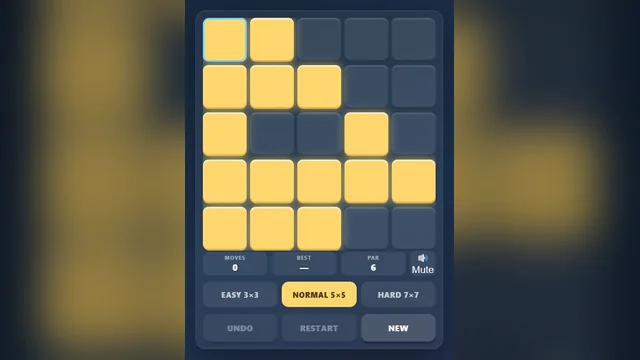
Lights Out is a linked-light logic puzzle. Tapping one light flips it and its four immediate neighbors, and the goal is to turn the whole board off. Different board sizes and undo give you ways to work through a deliberate solution.
Work through the board in a deliberate order. A move can change several nearby cells or block a later route, so inspect the result before making another. When a plan stops working, trace it back to the first change that created the problem. Understanding that change is more useful than a rapid sequence of guesses.
How to Play Lights Out Game
- Bring the board to its target state using linked cell changes.
- Inspect which neighbors a tap affects.
- Make a deliberate move and compare the result.
- Build a repeatable sequence rather than toggling cells at random.
Controls
| Input | Action |
|---|---|
| Mouse click / touch tap | Change a cell and its neighbors. |
| Lights Out undo | Reverse an earlier move using the game’s undo control. |
Click or tap inside the game before using the keyboard. The fullscreen button below the player gives you more room; the restart button reloads the game.
Tips for a better round
- Work through the board in an order you can remember.
- A move that looks worse locally can still be part of a solution across the whole board.