About Twist It Game
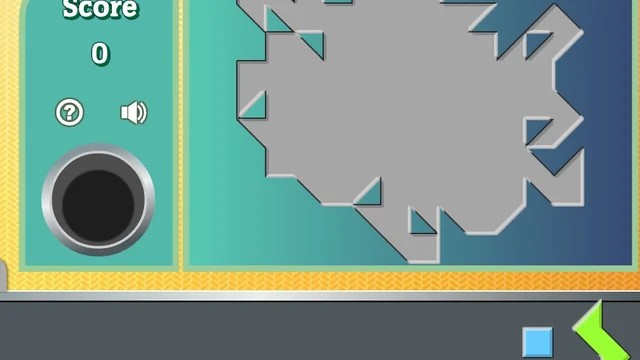
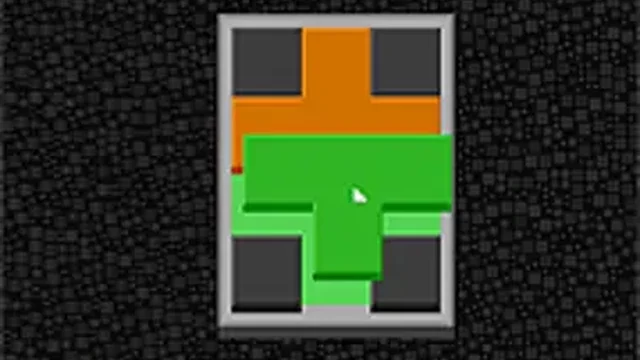
The first board gives you one teal piece and a gray tray with a dark patch in the corner. A quick click turns the piece. Hold the button down if you want to pick it up. That distinction is worth getting used to before tackling a board with more pieces.
On a crowded board, I look for the awkward corners first. A piece can fit neatly next to another one and still leave a gap that no remaining piece can reach. If that happens, lift it out and try a different turn.
How to Play Twist It Game
Fit the pieces into the empty part of the board without covering the dark blocks.
- Press Play and choose a numbered puzzle. Level 1 shows you how to turn and move a piece.
- Click a piece to rotate it. Hold the mouse button and drag it over the space you want it to fill.
- Release the piece to place it. Move pieces you have already placed if you need to make room.
Controls
| Input | Action |
|---|---|
| Left click | Rotate a piece. |
| Hold and drag | Move a piece. |
| Bottom-right arrow button | Restart the current puzzle. |
Click or tap inside the game before using the keyboard. The fullscreen button below the player gives you more room; the restart button reloads the game.
Tips for a better round
- If an edge will only fit one way, place that piece before filling the middle.
Questions About Twist It Game
Do I need a keyboard?
The puzzle uses the mouse to rotate and move pieces.