About Race Choppers
Race Choppers puts you on a long motorcycle and sends you down the road against a timer. The publisher describes races in American city settings. The original instructions focus on getting to the next timing point before the current time runs out, then carrying on towards the finish.
Its controls use the four arrow keys: up accelerates, down brakes, and left or right steers. That leaves the main decisions on the road itself. You need enough speed to reach the next checkpoint, but a useful steering correction matters more than holding the accelerator without looking ahead.
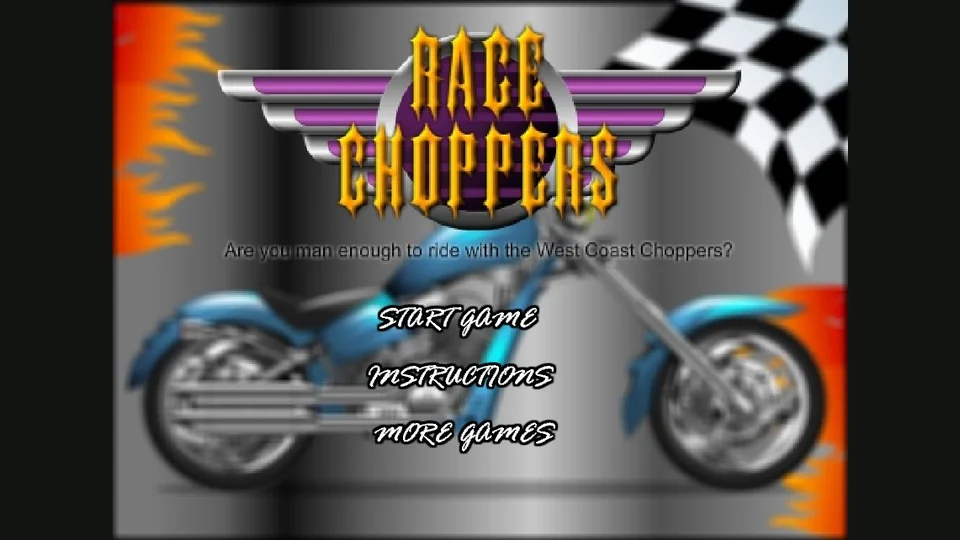
The blue chopper, flames and chequered flag on the title screen make the theme unmistakable. This is the older Race Choppers browser game. Its instructions are short, so understanding the timer and the difference between steering and braking is a better starting point than looking for complicated keyboard combinations.
How to play Race Choppers
Reach the timing points before the countdown expires and keep progressing along the course to the finish.
- Read Instructions from the main menu before choosing Start Game. Check which arrows handle speed and which handle direction.
- Use up to accelerate. Watch the road ahead as well as the time remaining.
- Steer with left and right, making corrections before you run out of room to change your line.
- Use down to brake when you need to reduce speed. It is separate from the steering controls.
- Aim for the next timing point before the countdown ends, then continue towards the next section of the course.
Controls
| Input | Action |
|---|---|
| Up arrow | Accelerate. |
| Down arrow | Brake. |
| Left / Right arrows | Steer the chopper. |
Tips for a better round
- Keep checking the timer without staring at it. A glance tells you how urgent the next checkpoint is; looking back at the road tells you how to get there.
- Try smaller steering corrections first. Moving across the road more than you need can create another correction immediately afterwards.
- Use the brake deliberately rather than pressing down while trying to steer. Knowing which action slowed you down makes the next attempt easier to judge.
Questions about Race Choppers
What does the up arrow do?
The original instruction screen assigns it to acceleration. Left and right are the steering controls.
Is the down arrow a reverse control?
The instruction screen labels it as the brake. Use it to reduce speed.
Why are the timing points important?
The original rules require you to reach the next timing point before time expires, allowing the run to continue towards the end.
Game credit: Original Race Choppers edition — Pomu publisher page