About Free Rider 3
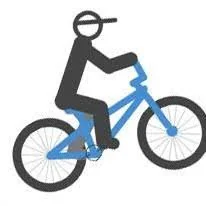
Free Rider 3 is a bike-and-track game where a drawn route becomes a physics challenge. Guide the rider across slopes, gaps and loops while keeping enough balance for the next landing. The editor adds another side to the game: a course needs to be rideable, not merely interesting to look at.
When playing, use the terrain to build momentum and adjust your balance before a jump lands. When creating, test a small section before adding the next one. A clean transition between lines helps the bike move naturally, while an abrupt angle can stop a rider who had enough speed to clear the section.
How to play Free Rider 3
Ride through the track objective or create and test a workable course.
- Choose a track or open the available editor.
- Read the bike movement and balance controls.
- Ride a section and note where speed or stability is lost.
- Retry with a better line, or revise that section if you are editing.
Controls
| Input | Action |
|---|---|
| Arrow keys | Control the bike using the game’s movement and balance prompts. |
| Mouse | Use the track drawing and editor tools. |
Click or tap inside the game before using the keyboard. The fullscreen button below the player gives you more room; the restart button reloads the game.
Tips for a better round
- Test transitions between slopes; a tiny sharp corner can make a long section unreliable.
- Build speed before a loop or gap instead of trying to correct the approach after takeoff.