About 3D Flight Simulator Game
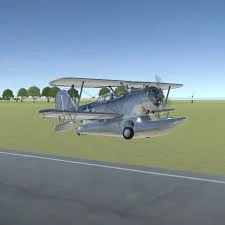
3D Flight Simulator puts you in control of an aircraft rather than following a fixed arcade lane. Taking off is only the beginning: pitch, roll and speed have to work together to keep the flight stable. The horizon is a useful reference when you are learning how small inputs change the plane’s attitude.
Use the aircraft’s control screen before attempting a difficult maneuver. A large correction can produce a steep bank or dive, and low speed can make recovery harder. Start with a gentle climb and a wide turn, then return to level flight. A smooth, controlled landing is a better practice target than an immediate stunt.
How to Play 3D Flight Simulator Game
Control the aircraft through takeoff, stable flight and a deliberate approach to landing.
- Read the aircraft control panel, including throttle and pitch bindings.
- Build speed along the takeoff route before climbing.
- Use small roll and pitch adjustments to keep the horizon steady.
- Reduce speed gradually for an approach instead of dropping suddenly.
Controls
| Input | Action |
|---|---|
| Aircraft controls menu | Lists throttle, pitch, roll and yaw bindings for the selected aircraft. |
| Mouse / keyboard | Use the control method shown by the simulator. |
Click or tap inside the game before using the keyboard. The fullscreen button below the player gives you more room; the restart button reloads the game.
Tips for a better round
- Make one adjustment at a time until you understand its effect on the aircraft.
- Keep enough altitude for recovery while practising turns.