About Super Mario Kart Xtreme Game
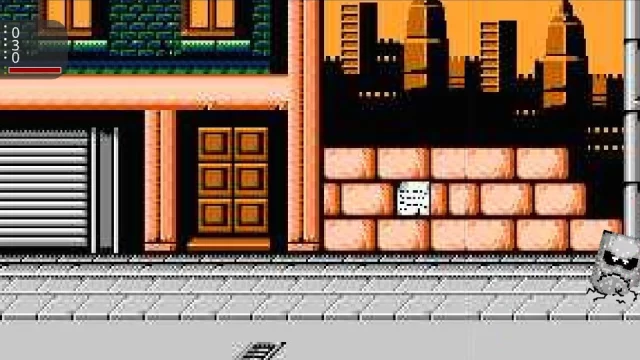
The first bit is getting out of the menu. Click the green Start button, choose Mario or Luigi, then look under the driver preview for another Start. The opening street has a row of brick buildings with the sun going down behind them. In the corner you'll see four things the game keeps track of: hits, misses, score and damage.
The arrows work a little differently from what I expected. Right moves the kart farther to the right and adds speed. Left can slow it right down. Moving up and down changes your line across the street. Then there's nitro on A. I find the street a lot easier to read if I get used to those directions before trying the boost.
How to Play Super Mario Kart Xtreme Game
Drive along the street and keep an eye on your score and damage as you pass enemies.
- Choose a driver and click Start under the driver preview.
- Use up and down to line up with what you want to hit or avoid.
- Move right to build speed, back off with left and press A when you're ready for nitro.
Controls
| Input | Action |
|---|---|
| Up and down arrows | Move up or down the screen. |
| Left and right arrows | Move left or right, slowing down or speeding up. |
| A | Use nitro. |
Click or tap inside the game before using the keyboard. The fullscreen button below the player gives you more room; the restart button reloads the game.
Tips for a better round
- Watch where the next enemy is on the street before deciding where to drive. At full speed there's less time to move up or down.
Questions About Super Mario Kart Xtreme Game
Can I choose Luigi?
Yes. He is the green driver on the player selection screen.
Where are the counters?
Look in the upper left once the street appears.