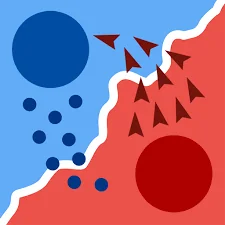
About State Io Game
State Io explores territory, resources and the changing balance between neighboring powers. Read the map before acting: a larger area is not always secure if it borders several strong opponents. Depending on the game, you direct expansion yourself or adjust the simulation and watch how its nations develop.
Treat an advance as a commitment. Taking an open area may create a new border that needs defending, and weakening one rival can make a different rival stronger. Follow the resource or population indicators and keep enough strength in reserve to handle a change on the map.
How to Play State Io Game
Develop control of the map using the expansion or simulation tools offered by this game.
- Select a map or scenario and inspect the starting positions.
- Read the resource indicators and the current expansion controls.
- Choose a limited target or adjust the simulation settings.
- Watch how the borders change before making the next decision.
Controls
| Input | Action |
|---|---|
| Mouse | Choose territories, issue an available expansion command or interact with simulation menus. |
| Map controls | Pan or inspect the world using the tools displayed in the game. |
Click or tap inside the game before using the keyboard. The fullscreen button below the player gives you more room; the restart button reloads the game.
Tips for a better round
- Expanding along one manageable border is often easier than opening several new fronts.
- Wait long enough to see the result of a decision before changing the plan again.