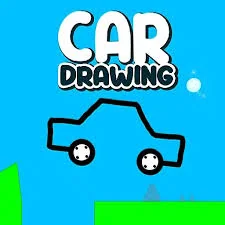
About Car Drawing
Car Drawing turns movement into a design puzzle. Build or draw the part that will carry your character across the course, then watch how it behaves when physics takes over. A design can work well on flat ground and fail at the first slope, so the challenge is adapting the shape to the obstacle in front of you.
Begin with a simple shape or vehicle. Test it, identify the exact place where it stalls or tips and change only what that obstacle requires. Adding more pieces or drawing a larger shape is not always an improvement. The most useful design is the one that stays stable and keeps moving through the current route.
How to play Car Drawing
Create a workable design and use it to reach the course objective.
- Inspect the route and the parts or drawing tools available.
- Make a simple first design and start a test run.
- Watch where it fails to climb, balance or fit.
- Revise the relevant part and test the new design.
Controls
| Input | Action |
|---|---|
| Mouse / touch | Place construction pieces or draw the moving shape. |
| Play / test button | Run the current design. |
| Design tools | Reset or modify the build using the on-screen controls. |
Click or tap inside the game before using the keyboard. The fullscreen button below the player gives you more room; the restart button reloads the game.
Tips for a better round
- Test a small change at a time so you can see why the design improved.
- Leave enough clearance for narrow passages; a design that is strong but too large still cannot finish the route.