About Neverball
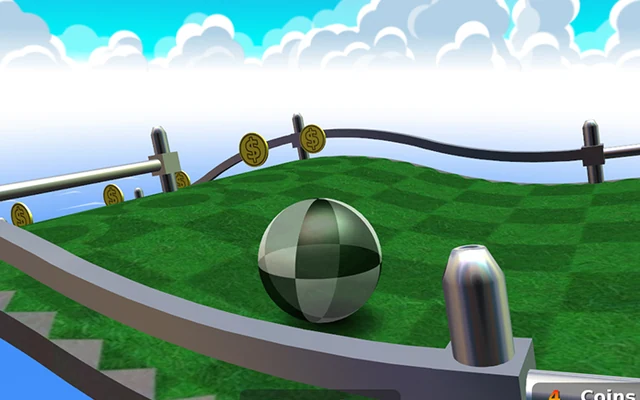
The ball rolls because you tilt the ground beneath it. That is the awkward little trick at the centre of Neverball. A movement that helps it gather speed on a straight can send it sailing off the next corner. You need to steer and slow down, with a clock counting down while you work out the route.
Collect enough coins to open the goal, then get the ball into it. The shortest line to the exit is not always useful if you arrive without the required coins. Some courses have narrow paths, changes in height and moving obstacles. Start with the easy level set and use its early stages to learn how a small tilt turns into momentum. There is no opponent to outrun; the course is quite capable of causing trouble on its own.
How to play Neverball
Collect the required coins, unlock the goal and reach it before the timer expires. Keep the ball on the platforms: falling off or running out of time ends the attempt.
- Use Play Now in the Neverball launcher, then choose Play in the game menu. Pick the easy set for your first run and select an available level.
- Find the coins and goal before making a large movement. Tilt gently towards the first useful coin rather than immediately pushing for maximum speed.
- Ease the tilt back as you approach an edge. The ball keeps its momentum, so changing direction too late may leave no room to recover.
- Once you have enough coins, follow a safe route into the opened goal. After a fall, choose another attempt; the pause menu lets you continue or give up the current run.
Controls
| Input | Action |
|---|---|
| Mouse movement or arrow keys | Tilt the floor to change the ball's direction and speed. |
| Left / right mouse buttons | Adjust the camera view. |
| Escape | Pause the current attempt and open its menu. |
| Touchscreen swipe | Tilt on the touch interface; the second touch control adjusts the camera. |
| Fullscreen button | Expand the game when the route or controls need more room. |
Click or tap inside the game before using the keyboard. The fullscreen button below the player gives you more room; the restart button reloads the game.
Tips for a better round
- Make the first few turns slowly. It is easier to add speed than to recover a ball that is already sliding towards an edge.
- Look for a safe set of coins instead of chasing every coin on the map. Opening the goal is the first job; reaching it is the next one.
- Give yourself room to brake before a bend. A last-second correction changes the tilt immediately, but the ball needs time to respond.
Questions about Neverball
Why does the ball keep moving when I stop tilting?
It has momentum. Bring the floor back towards level and use a gentle opposing tilt to slow it rather than expecting an instant stop.
Why is the goal still closed?
The level requires a particular coin total. Collect more coins and watch for the goal to open before heading for the finish.
Is there a time limit?
Yes. Each attempt has a timer, so you need to balance a safe route against the time left. A quick restart can be more useful than chasing a badly missed approach.
Game credit: Neverball authors and contributors