
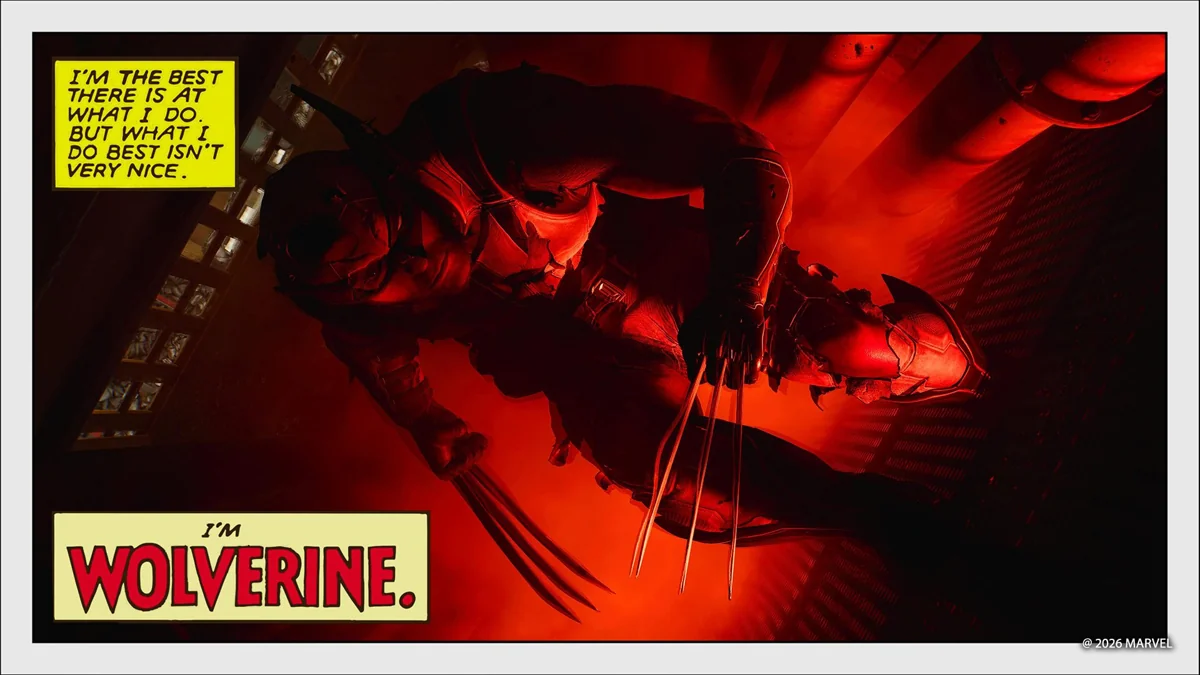
For a Wolverine portrait, try one light. Perhaps two. That's the fairly reassuring advice in Gillen McAllister's Photo Mode guide, even though the game lets you arrange five independent lights around a scene.
Published on October 22, the PlayStation Blog post explains sphere and spotlight options, assigning Photo Mode to a D-pad shortcut and using slower game speed to find an action moment. There's also a way to shift the interface when it covers your composition. None of this requires you to begin with an elaborate setup.
Try keeping the first picture
Our advice would be to save a plain shot before getting ambitious. Add a light, take another, then compare. Did the face become easier to read? Is the brightest part of the frame now a wall that wasn't supposed to matter? Having the earlier picture makes those questions easier to answer.
There's a playful side to the guide as well. Miniature poses shrink Wolverine into an action-figure-sized subject. We'd be tempted to try that with an ordinary background first, rather than compete with the spectacular examples in Sony's gallery. A change of scale can make a familiar object interesting again.
A warning before you browse: the official examples include outfits and locations from later in the story. Skip the gallery if you'd rather find those yourself. We haven't tested these tools hands-on; this is a response to the published guide. Its best invitation, to our minds, is to experiment with a moment you chose, rather than recreate somebody else's favourite image.